Your desk.
Now with personality.

⌘
Your AI. Within reach.Control Codex directly
Your voice. Your choice.Local or cloud-powered voice
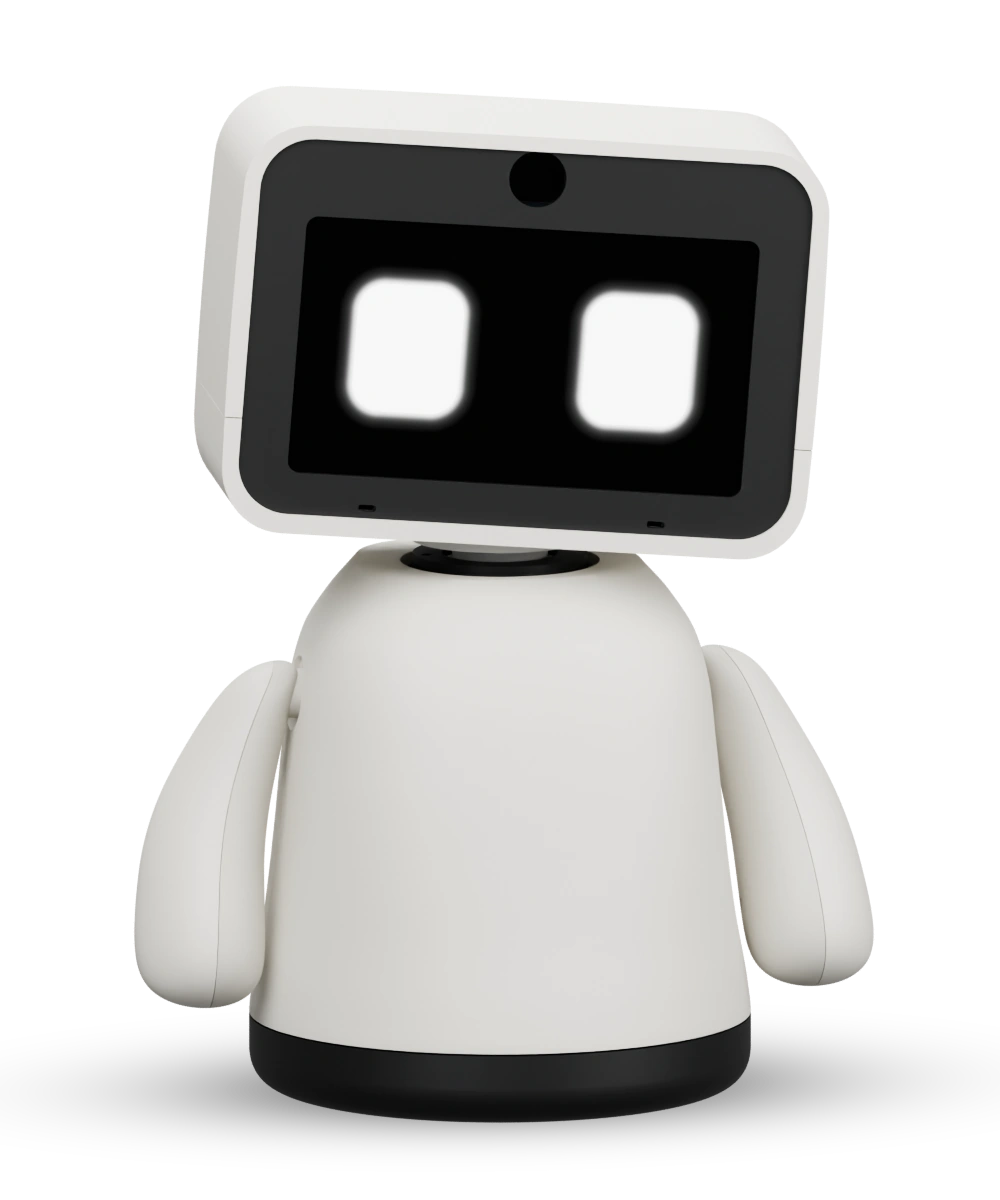
Qimro Original · Product visualization

Hi, I'm Qimro.
Your deskbuddy for whatever comes next.

Control AI. Simplify workflows. Learn something new.
With a little companion that grows alongside you.

Your choice of voiceCustomizable touchdeckConnected to Eve
MEET YOUR NEW DESKBUDDY
⌘
Your AI. Within reach.Control Codex directly
Your voice. Your choice.Local or cloud-powered voice
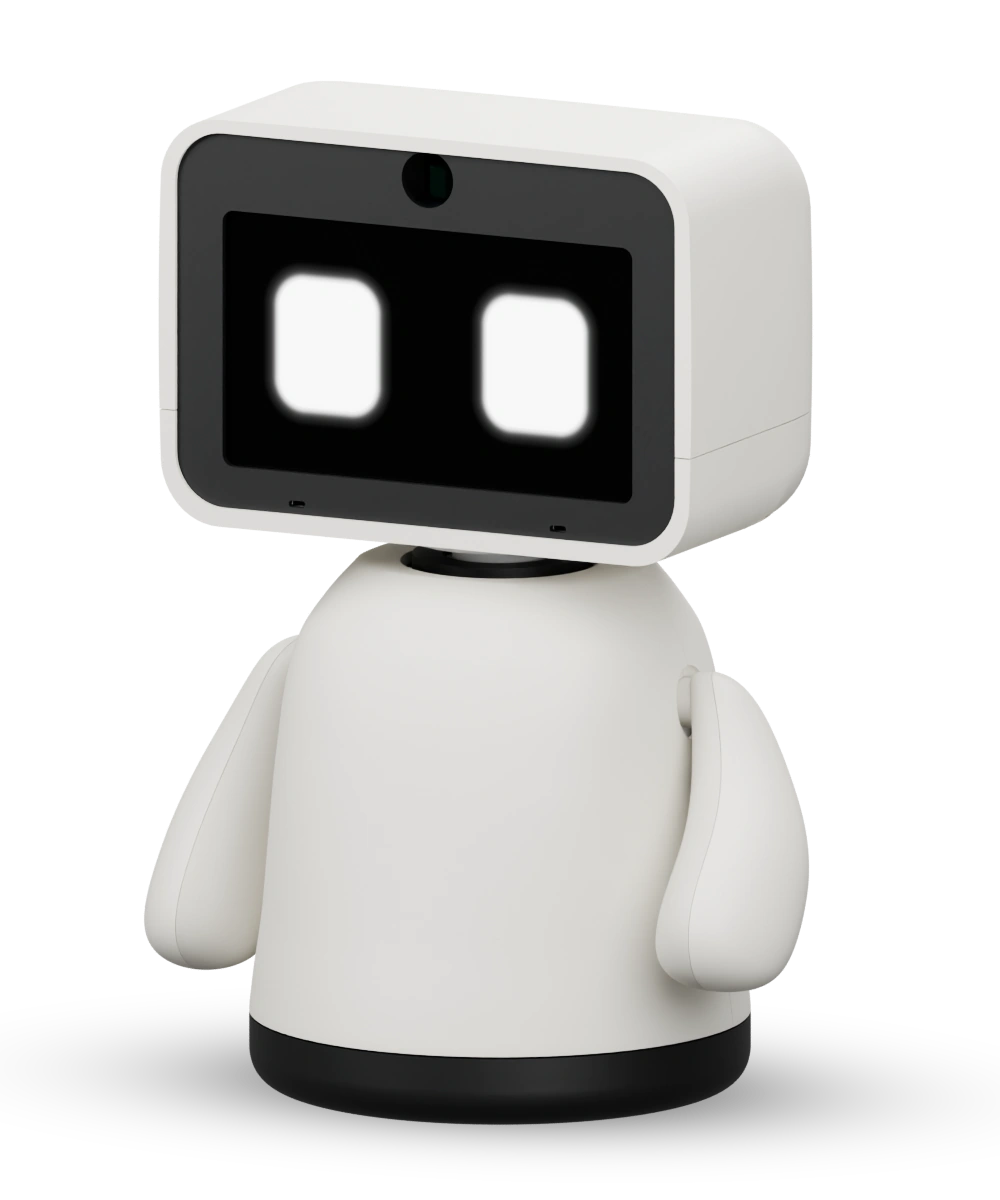
Original · Product visualization
A face for your AI.A touch for your workflow.A buddy for your everyday life.

MORE THAN A GADGET

A little buddy.
So many good reasons.

Qimro brings a personal companion together with tools that make your day easier.

Implemented in the project

Your AI is no longer waiting
in another window.

Start Codex tasks, send instructions, add to work in progress or stop it. Qimro lets you know when it needs your attention — through facial expressions and matching sounds, or a simple information box on the touchscreen.

⌘Update the websiteIn progress
>Codex is bringing your idea to life.
Interactive preview · Not connected to your computer
01 / TOUCH

Your workflow.
One touch away.

15 customizable buttons per page. Microphone, audio, macros, apps, Codex and streaming actions, right where you need them.

Try the touchdeck +
02 / VOICE

Talks with you.
Just the way you like.

Local speech recognition with Whisper. Choose Supertonic, OpenAI Realtime or ElevenLabs for the voice — and give your buddy its own name for conversations.

Explore voice options +
03 / PERSONALITY

A personality
that stays with you.

Our Eve agent system gives Qimro as many personas as you like, with long-term memory and document storage. Individual conversations can become a shared story.

Meet Eve +
04 / EXPRESSION

A hello
you can see.

Animated eyes, custom sounds and programmable gestures give feedback a personality. Qimro shows you what's happening.

Meet the Original +
“I'm glad you're feeling
better today.”
Example Eve persona
Original · Product visualization

POWERED BY EVE

A personality.
A story.
Yours.

A conversation today. More context tomorrow.

Eve, our agent system, connects Qimro to personal AI agents. A persona defines how your buddy speaks and the role it takes on. Long-term memory in Eve can retain preferences, goals and earlier context.

Your personaA study partner, creative sounding board or companion for everyday life.

Context across conversationsA conversation can build on what your Eve agent already knows about you.

Knowledge from your documentsYour documents add knowledge about your topics and projects to your persona.

Additional integration: OpenClawAvailable as a conversation provider and button plugin from app version 0.12.11. Configure the connection under Plugins; checked with a test gateway.

In the app

A PERSONALITY THAT GROWS WITH YOU

Unique from the start.
Growing with you.

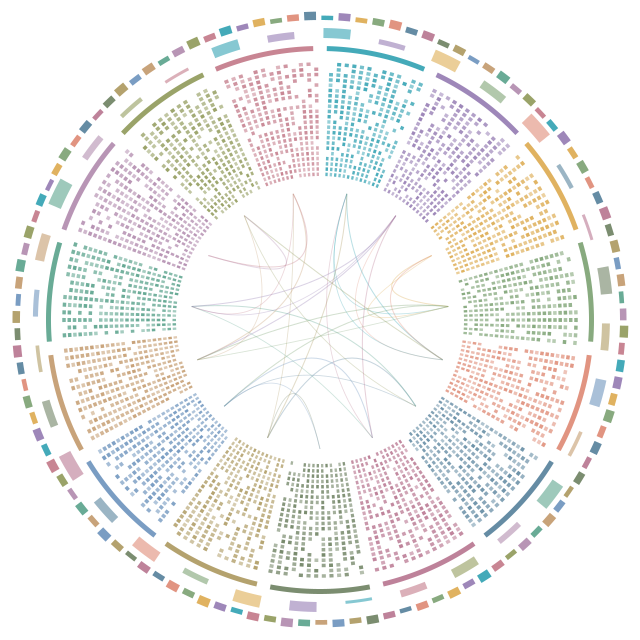
Every new Qimro starts with its own digital DNA: individual traits, connections and initial interests. Your conversations and feedback shape its development — and the topics it grows especially interested in.

ONE QIMRO. TWO MOMENTS.
Example individual starting digital DNA with traits, connections and an outer ring of interests.
TraitsConnectionsInterests
ITS OWN BEGINNING

Uniquely Qimro from day one.

Its own traits, its own connections, initial interests. This Qimro already has a fondness for music, for example. How its interests develop is shaped by your time together.

Interests in this example
Robotics35 / 100
Music55 / 100
Astronomy22 / 100
Its starting DNA remains the foundation.
You decide whether your Qimro learns from conversations.

An illustration of possible development with learning enabled. Four weeks is not a fixed development timeline: your conversations, topics and feedback are what matter. The graphic is a symbolic representation of digital DNA.

FITS INTO YOUR LIFE

A desk is
just the beginning.

Qimro is for people with ideas. And for places where work, learning and connection happen.

01 / AT HOME

Small routines.
A little more life.

A quick chat, a glance at the weather or a custom sound at just the right moment. Qimro gives your digital everyday life a place in the real world.

  • Conversations with your chosen persona
  • Time and weather on the display
  • Custom sounds and gestures
Features implemented in the project
Product visualization

MAKE IT ENTIRELY YOURS

Your Qimro. Just your way.

From its very first sound to its own personality: you decide how Qimro looks, sounds, reacts and keeps you company.

Sounds & voice

Choose its voice and add your own sounds — for greetings, notifications and the little moments in between.

Face & expressions

Customize facial expressions and reactions. Shape how your buddy shows joy, curiosity or attention.

Shell & design

Customize the shell and give Qimro a look that suits you and your desk.

Touchdeck

Your buttons, pages, icons, colors and actions. Set up your touchdeck to suit your everyday life.

Persona

A personality tailored to you through Eve. Choose its role and how it talks with you — from study partner to creative companion.

Long-term memory

With your own documents and long-term memory, your persona can draw on your knowledge, preferences and earlier conversations.

ORIGINAL. AND FULL OF POSSIBILITIES.

One character.
Many personalities.

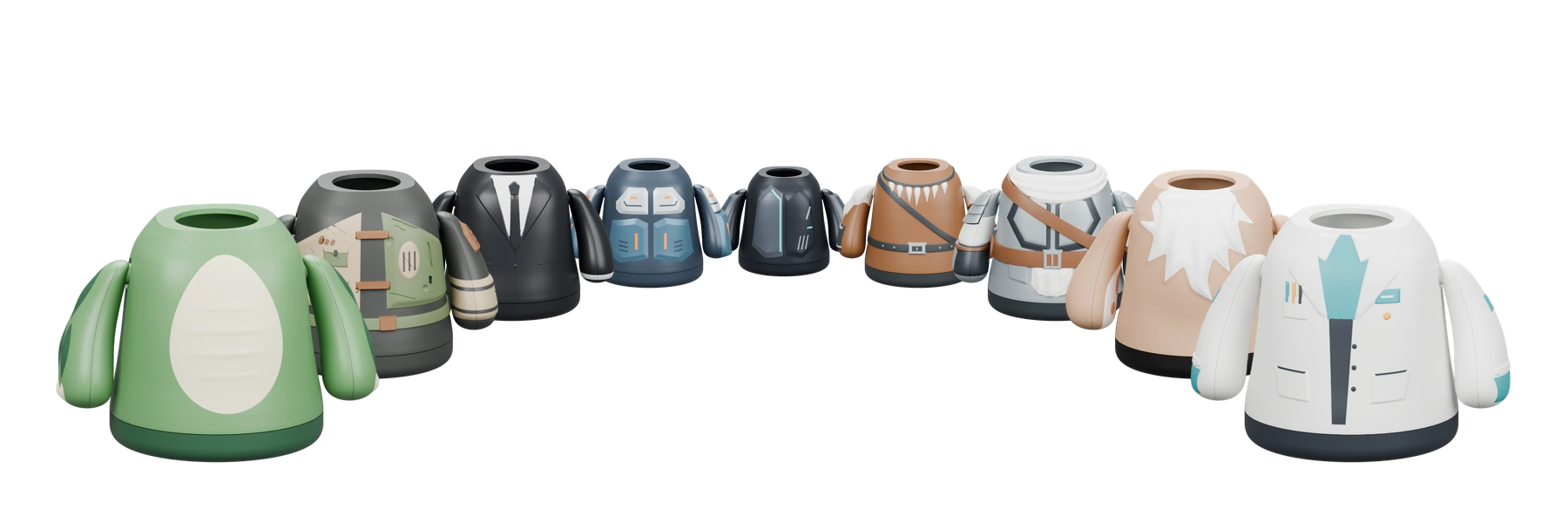
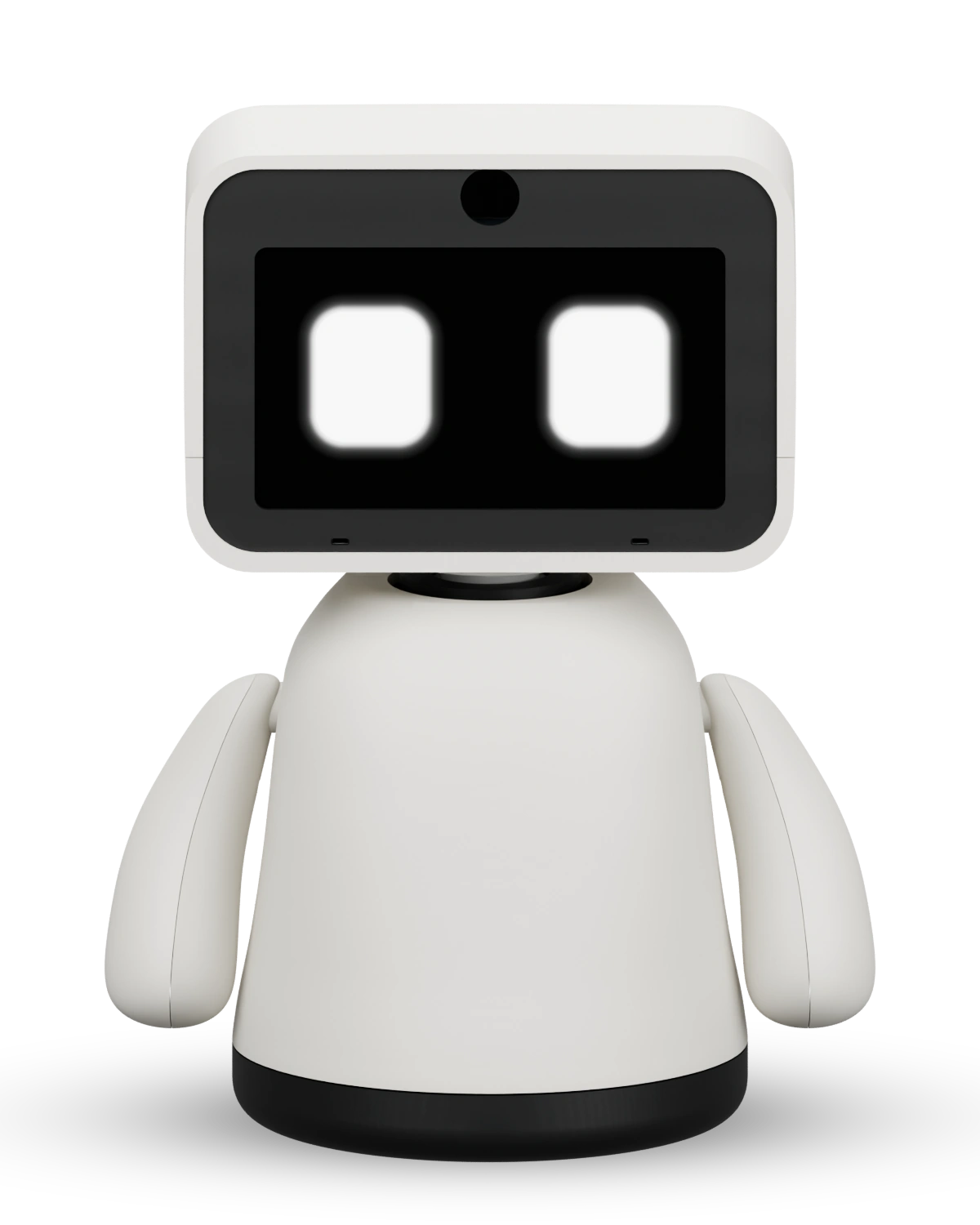
This is Qimro Original. More design ideas are waiting in the wings — each with a character of its own.

Nine additional Qimro body designs in a semicircle, larger towards the front and slightly overlapping, without blur
QIMRO ORIGINAL The first face of the family.MORE CHARACTERS. COMING SOON.
Original ESP eyesLively expressions and eye movementsProgrammable gesturesYour routines, sounds and reactions3D-printed shellCustom shapes and character designs

YOUR PERSONAL TOUCHDECK

Fewer clicks.
More flow.

The idea you know from the Elgato Stream Deck — on your buddy's touchscreen. Switch between pages and customize actions, icons and colors in the app.

  • 15 buttons per button page
  • Up to 8 saved screens
  • Icons for apps, websites and actions
  • Custom actions through local plugins
  • Feedback per button: visual, voice, both or off
  • Switch screens directly from the app
  • Confirmation for important actions

Qimro uses its own plugin format. Elgato plugins cannot be imported directly.

YOUR QIMRO. YOUR LAYOUT.Interactive demo

Tap a button to discover what it does.

Interface preview. This demo does not perform actions on a device or computer.

YOUR NAME. YOUR VOICE.

A conversation.
Just your way.

Whisper recognizes your speech locally on your computer. Choose the response provider and voice independently. Speak after tapping the display, in continuous conversation mode or by using your buddy's name.

01

Qimro listens.

Whisper turns your speech into text locally.

Speech recognition · Local
02

Your AI thinks along.

Ollama, OpenAI, OpenAI Realtime, Claude, Eve or OpenClaw provide the response.

AI provider · Your choice
03

Qimro replies.

Locally with Supertonic, or through OpenAI Realtime and ElevenLabs: your chosen voice speaks through your buddy.

Voice output · Your choice
0 €Usage fees for
local speech recognition & voice output

Your computer provides the processing power. Cloud AI, Codex or external services may have their own costs. Local speech processing does not automatically make cloud responses local.

Three speech modes. Your buddy's name.In name mode, start your sentence with your buddy's name, such as “Noah, open Affinity Designer 2.” Pause for at least one second before speaking. You can set the response pause to 1, 1.5 or 2 seconds; processing time is additional.

BRING YOUR SETUP ALONG

And the rest of your day?
It's covered too.

The companion app brings more tools to your desk. You choose what goes on your Qimro.

Mail & calendar

Outlook, Gmail and calendar information. Give notifications and appointments a visible place.

Focus & overview

Timers, Pomodoro, tasks and notes. Small tools for a more organized workday.

Weather & daylight

Time, weather forecasts, sunrise, sunset and the moon phase, right on the display.

System & builds

System monitoring, GitHub and build status, plus Docker integrations for your technical setup.

Smart home & plugins

Home Assistant and custom local adapters extend Qimro with actions that suit you.

Connect & keep building

USB or paired Wi-Fi, firmware updates through the app and separate profiles for multiple buddies.

Integrations need appropriate setup and may require additional software or accounts. Availability and testing status vary by operating system.

THE IDEA IS TAKING SHAPE

More than a distant vision.
A project moving forward.

Hardware, firmware, the app and voice are coming together. See what's already in the project and what's coming next.

01Current project status

The buddy is taking shape.

The original model, ESP face, companion app, touchdeck, Codex controls, local speech and Eve, OpenClaw and Claude integrations are implemented in the project. Practical maturity varies by feature and platform.

02In development

More possibilities.

Refining the hardware, trying everyday workflows and continuing platform testing. OpenClaw is integrated as an agent connection and Claude as a response provider; live testing is still pending for both. OpenAI Realtime and ElevenLabs voices are already selectable.

03Planned

Let's get started together.

A crowdfunding campaign is planned to make the next step possible. Pricing, what's included, the timeline and the campaign link will be announced once confirmed.

Connected to your computer. macOS is the current development platform. A Windows package has been prepared and its contents checked; practical testing on Windows is still pending. Linux preparation is ongoing. At this stage, Qimro requires a running companion app.

STILL CURIOUS?

Good questions.
Clear answers.

What exactly is Qimro?+

Qimro is a physical deskbuddy with an animated face, touchscreen, sound and programmable gestures. The companion app connects it to your computer, Codex, local speech services and the Eve agent system.

What can I do with Codex?+

You can start tasks, send prepared instructions, add to or stop work in progress, and respond to supported questions or approval requests. Codex uses your existing sign-in. Its usual permissions and approvals still apply; individual desktop interfaces depend on the version.

Is the touchdeck compatible with the Elgato Stream Deck?+

It follows the same practical idea: customizable actions right at your desk. Qimro offers 15 touch buttons per button page and its own plugin format. Existing Elgato plugins are not directly compatible. The project has its own integrations for OBS, Streamlabs, computer audio and Codex.

Can Qimro work entirely without the cloud?+

Speech recognition and voice output can run locally on your computer. With a suitable local Ollama model, AI responses can also be local. Codex, OpenAI, Claude, a remote Eve server and other connected services may require an internet connection and process data. Whether a conversation stays local depends on your setup.

How do I address my buddy?+

Give it a name in the app. If its name is Noah, pause for at least one second, then say “Noah, open Affinity Designer 2.” The command must be assigned to a configured button. “I set up Noah today” does not count as addressing it. In continuous conversation mode, you don't need to start every sentence with the name. Your buddy's name and the Eve agent system are separate settings.

How does Qimro confirm my actions?+

For each button, choose Off, Visual, Voice or Both. Visual success feedback briefly shows a green checkmark in the center of other screens. For spoken commands while the face is displayed, the eyes instead turn green for three seconds, or red on errors. Required confirmations and error messages remain visible.

Can I choose Claude for conversations?+

Yes. From app version 0.12.12, select Claude under Buddy settings → Speech → Replies from. Add your own Anthropic API key under App settings → Claude access. Choose the voice separately: local, OpenAI Realtime or ElevenLabs. There is also a Claude button plugin for prepared questions. API usage is billed through your Anthropic account. The integration has been checked with simulated test responses; a live test with a personal account is still pending.

How does Qimro's digital DNA develop?+

Every new Qimro receives individual starting DNA with its own traits, connections and initial interests. When you enable personality and learning, open-ended conversations and your feedback can develop its interests, reactions and connections. The starting DNA remains the foundation. The four-week comparison shows one possible development; how much changes depends on your interactions. Personal conversation memories are managed separately from digital DNA.

What does long-term memory with Eve mean?+

A connected Eve agent can retain context across conversations and act as a persona with its own role and traits. Memory is managed within the Eve agent system. It is not an additional, independent memory inside the Qimro device.

Do I need an ElevenLabs subscription?+

You don't need an ElevenLabs subscription for local speech recognition with Whisper and local voice output with Supertonic. ElevenLabs is already available as an optional voice provider. Add your API key and a voice ID to use it. External AI or speech services may have their own fees.

Is Qimro intended for schools and senior living facilities?+

Yes. In schools, custom plugins, gestures and AI workflows offer a hands-on introduction to programming and technology. For senior living facilities, personal conversations and simple interactions are promising use cases. These applications are planned to be explored together with facilities in supported pilot projects.

When can I buy Qimro, and what will it cost?+

Qimro is in development. A launch date, final price and confirmed delivery date have not yet been set. A crowdfunding campaign is planned. This page is not currently accepting orders or investments.

FOR THE CURIOUS. THE MAKERS. THE BELIEVERS.

Can you see
the potential?

A personal AI companion. A practical touchdeck. A platform for learning and building. Help bring Qimro from a project into everyday life.

Qimro

Your deskbuddy.
For whatever comes next.

Be there from the start

Project notes

Qimro is a development project. This page presents the concept and current project status. Product images are renderings of the original model and additional body designs.

The interactive examples run only within this page. They do not connect to your computer or a Qimro. This page does not accept orders, payments or waiting-list registrations.

This page uses no analytics or advertising trackers, external fonts or marketing cookies. The hosting provider may process technical access data. The project profile and sharing work without signing in to an additional service.

OpenAI, Codex, Claude, Affinity Designer, Affinity Photo, Outlook, AWS, Docker, Slack, Netflix, Spotify, Ollama, Whisper, Supertonic, Elgato, Stream Deck, OBS, Streamlabs, Twitch, YouTube, Steam, Epic Games, Discord, ElevenLabs, LinkedIn and Kickstarter belong to their respective providers. These names refer to example layouts, integrations, technologies used or project plans, and do not imply a partnership with Qimro.